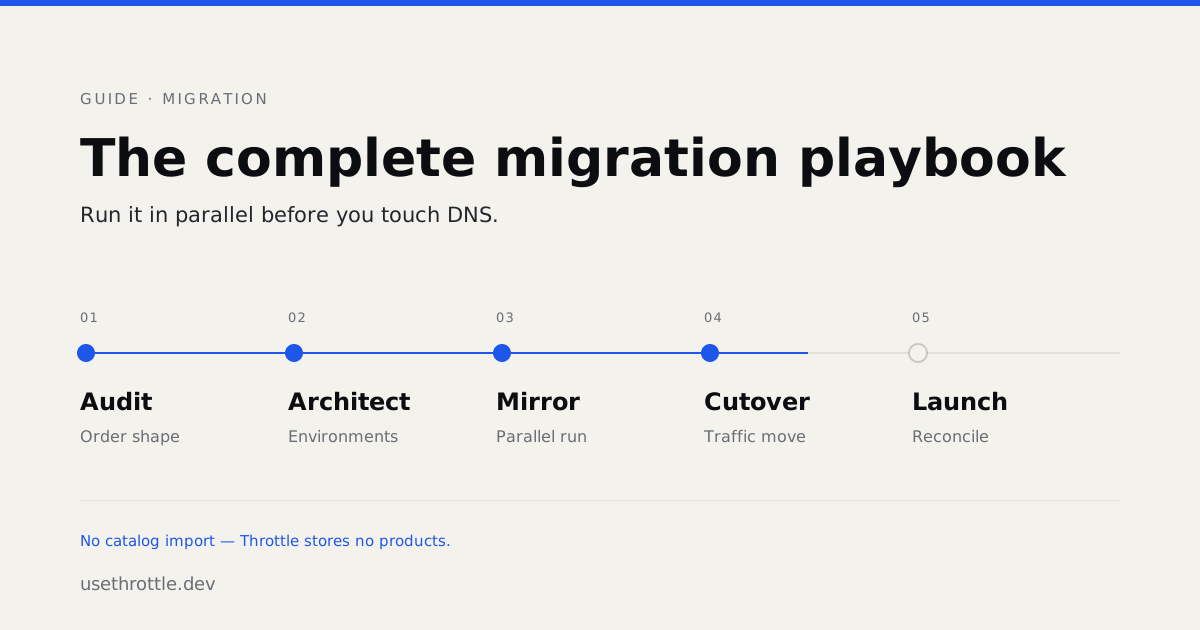
The Complete Migration Playbook
What actually moves when you migrate to Throttle, what stays where it is, and how to run the whole thing in parallel before you touch DNS.
Most replatforming plans start with a spreadsheet of everything in the old system and a column for where it goes in the new one. That’s the right instinct and the wrong first question for this particular migration, because of one fact that reshapes the entire project:
Throttle does not store your products.
There is no catalog to import. Line items arrive from your storefront in the cart payload and are recorded on carts and orders with a referenceId pointing back to whatever system owns the product. Your PIM, your ERP, your headless CMS, your existing BigCommerce catalog — that stays exactly where it is and keeps being the source of truth.
Which means this isn’t a data migration in the way you’re bracing for. It’s a cutover of the transaction layer: carts, checkout, payments, orders, subscriptions. Once teams internalise that, the scope usually shrinks by more than half.
What moves, what stays, what gets rebuilt
| Moves to Throttle | Stays where it is | Gets rebuilt |
|---|---|---|
| Carts and checkout | Product catalog and PIM | Checkout UI |
| Orders and payments | CMS and storefront content | Cart page |
| Customers and addresses | ERP, 3PL, WMS | Webhook consumers |
| Subscriptions and billing | Tax nexus config, email platform | Admin integrations |
| Discounts and promotions | Media, SEO content, URLs |
The middle column is the one worth reading twice. “Re-platforming your commerce” and “re-platforming your stack” are separate projects, and this playbook is only the first one.
Phase 1 — Audit
The inventory that matters is narrower than a full platform audit. Five questions:
What is your actual order shape? Pull a representative month. Count line items per order, how many carry customisation metadata, how many are subscriptions, how many involve partial fulfillment or split shipments. This determines almost everything downstream.
Where does tax get decided? If you’re on an external engine, that connection moves with you. If your current platform is doing it natively, that’s net-new configuration rather than a migration.
How many integrations write into commerce? Read-only consumers are easy — they’ll move to webhooks. The ones that write orders, adjust inventory, or mutate subscriptions need explicit sequencing.
What is the subscription population? Count active subscribers, distinct billing dates, and how many are mid-dunning. Subscriptions are the highest-risk part of any commerce migration and deserve their own timeline.
Which URLs earn traffic? Export the top few thousand by organic sessions. You’ll need this in Phase 4, and gathering it early costs nothing.
Phase 2 — Architect
Set up environments before anything else. Every workspace has one immutable production environment and as many non-production environments as you want. Non-production environments route to sandbox provider credentials; production is the only one that touches real money. You cannot create, archive, or delete production, which is the point.
Most migrations use at least two: one for the build, one that mirrors production data shapes for rehearsal.
Keys are minted into exactly one environment and carry it in the prefix — sk_uat_*, sk_live_*. There is no runtime flag that flips a key between environments, so a sandbox credential leaking into production config fails loudly instead of quietly charging someone.
Decide your cart mode now. Two options, and switching later is real work:
- Native carts — Throttle owns cart state.
POST /api/v1/carts, add items, apply discounts, select shipping. Use this when you’re building a new storefront or replacing the cart entirely. - External cart provider — your existing platform keeps owning the cart, and Throttle handles checkout and payment against it. Pass
externalCartIdinstead ofcartId.
The external path exists specifically for migrations. It lets you move payments and orders onto Throttle without rewriting the cart on day one.
Map your identifiers. Customers carry a first-class externalId, resolvable with GET /api/v1/customers/by-external/:externalId. Set it during import and every downstream reconciliation gets straightforward. Line items carry referenceId for the same reason. Decide these mappings before you write the import.
Phase 3 — Mirror
This is where migrations succeed or go sideways, and it’s the phase most plans compress.
Throttle runs alongside your existing platform. Real traffic keeps flowing to the old system while the new one processes the same events in a non-production environment. You’re not testing whether the API works — you’re testing whether your data, in your volumes, with your edge cases, produces the orders you expect.
If you’re on BigCommerce, the connector shortens this considerably. Connect the store with its hash and access token, and Throttle registers the required webhooks automatically. If registration fails, the connection lands in setup_failed with a retry endpoint rather than a half-configured state.
What to verify before you’d consider cutting over:
- Totals match to the cent. Run your last month of real orders through cart creation and compare subtotal, discount, shipping, tax, and total. Rounding and tax-jurisdiction differences surface here or they surface in production.
- Webhooks are idempotent. Deliveries retry. Your consumers will see duplicates. Handle them by event ID, and send
Idempotency-Keyon any POST you might retry — reusing a key with a different body is rejected rather than silently applied. - Every terminal state is exercised. Declines, partial refunds, disputes, cancellations, failed renewals. Success paths are the easy 20%.
- Fulfillment round-trips. An order reaching your 3PL and tracking coming back is the full loop. Test the loop, not the halves.
On subscriptions specifically. Subscription data migrates cleanly; the vaulted payment instruments behind it are the constraint. Cards are held by the payment processor, not by Throttle, so moving an active subscriber base without asking every customer to re-enter a card is a processor-to-processor vault migration. It is routine, it is coordinated between us and both processors, and it has a lead time — which is exactly why it belongs in Phase 3 and not in cutover week.
Phase 4 — Cutover
Cutover should be the least eventful day of the project. If Phase 3 was thorough, this is a traffic change, not a launch.
Sequence it. Stop writes to the old system, drain in-flight orders, verify the queue is empty, then move traffic. In-flight carts are the exception you plan for explicitly — decide in advance whether they’re migrated or allowed to expire.
Preserve URLs. Every URL from the Phase 1 export gets a 301 to its new location. Not a soft redirect, not a JavaScript hop, not a 200 that renders different content. Search engines treat those differently, and a commerce site that loses its URL structure loses months of traffic recovering it.
Watch the first hour deliberately. Payment success rate against your historical baseline, webhook delivery success, and order volume against the same weekday last week. Order volume is the one that catches problems the other two miss — payments succeeding at a normal rate on half the usual traffic means something upstream broke.
Keep the old system readable. Don’t decommission on cutover day. Disconnecting a BigCommerce connection is a soft delete with a 90-day retention window before anything is hard-deleted, and that window exists for good reason. Give yourself the same margin everywhere else.
Phase 5 — After
The first month post-cutover is when the actual benefit shows up, because the work stops being migration work.
Reconcile the first full billing cycle line by line — every renewal, every dunning attempt, every refund — against what the old system would have produced. Do it once, carefully, and you’ll trust the numbers permanently.
Then start using what you couldn’t before. Most teams’ first three are the same: webhooks driving something the old platform couldn’t trigger, a checkout change that would previously have needed a theme deploy, and a subscription rule the old billing add-on couldn’t express.
What we do, and what you do
Migration support is included on every tier — not as a support ticket queue, but as the people who have run this before sitting in your planning.
We handle the Throttle side: environment setup, connector configuration, data mapping review, the parallel-run comparison, and the processor coordination for vaulted payment methods. You own your storefront, your catalog, and your integrations, because that’s where your business logic actually lives and no external team should be guessing at it.
The paid pilot exists for teams who want proof before commitment: we migrate one product line or subscription stream in parallel with your existing stack, prove it out, then cut over. You pay the Starter tier for the duration.
If you’re weighing a migration, the useful conversation isn’t a demo. It’s an hour with your order shape and your integration list. Get in touch and bring the spreadsheet.